Now we head back to our plane model and prepare to insert the rocket proxys. We`ll have 3 rockets on each wing, 6 in total.
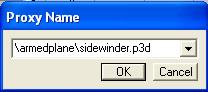
- Open your armedplane file and in "0.000" lod, select Create->Proxy from the menu. Write this and hit ok:
- Rotate and position the missile proxy as you did with the soldier proxys in lesson 2.
- Do the same thing 5 more times untill you have 3 rockets under each wing nicely lined up like this:
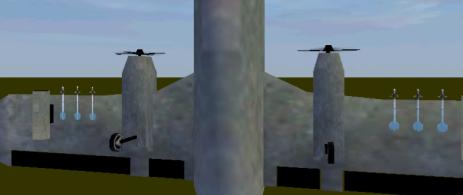
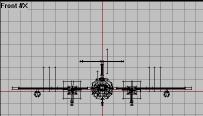
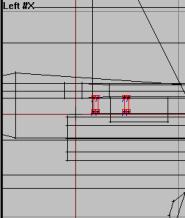
- Also, you might want to create some small rails or something so it looks like they are actually attached to the plane somehow. I made 4 small black-textured boxes like in picture.
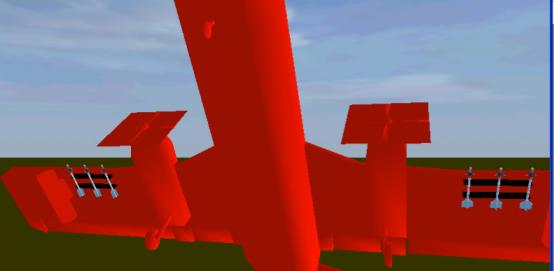
Ok, the rockets are in place where we want them and all I looking good, eh? Actually, there is only a few things left before we once again say hello to mister Configfile himself:
- Check out the 6 seleciton names for the rocket proxys. Change all of them from:
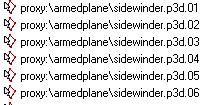
...to..:
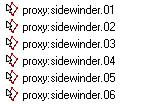
Now we wont be able to view them in Bulldozer anymore, but thats ok. We are done positioning them and now the game engine will get them working properly. Dont ask, its how its done ;).
- Select the 0.00 LOD in the lod window, right click and duplicate it twice. Change the two new lods to View Pilot and View Cargo.
Ok, set to go then. One thing i must tell you when trying to create your own rockets: You can only have ONE TYPE OF CUSTOM ROCKET PROXYS on your model at a time! I mean, you cant make some stingers and some hellfires and set them up like we did for our Sidewinder, it wont work. Its an engine limitation, sorry. If you must have lots or rocket types on your aircraft, only one can have rockets fitted the way we have now and all the other must go in pods (like we did for our unguided missiles).
Ok, now the main plane model is done and.....(sudden thunder)..hey, whats that? Whos there, at the door? (story continue on the next page...)
Back__Home__Next