Ok, we got our machinegun for closeup dogfighting and unguided rockets for those ground kills, but there is one thing missing! yep, proper AntiAircrart defence! And thats why we`re gonna make some guided AA rockets, using your very own self-made rocket type!
This one will not be inside a pod, but we will have the actual rocket hanging under the wings, ready to launch at your command. To do that we must create our rocket in a seperate p3d file and insert it as a proxy in the plane p3d file. Just like we do with soldiers, then. Very easy, really, its the configfile setup thats a pit painfull here.
Lets rock!
- Create a new p3d file (File->New).
- Check out the SW_Tex in the folder to see how the rocket we are gonna make looks like. You see its a pretty standard Sidewinder rocket (you can use your own texture and model if you like, but ill use this texture for my rocket. First, Load the texture and drag it (use correct aspect to get it right). The texture will be our blueprint for the left view:
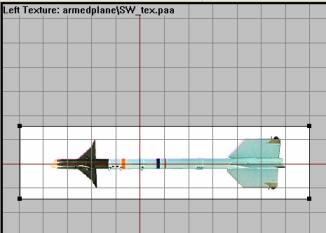
- Now model the rocket using a subdivided cylinder. In front view, press F8 to make cylinder, and enter 4 in the Segments Z field and hit ok. Now resize and spread the cylinder subdivisions along the side blueprint just like we did for the scope on the sniper rifle in lesson 3 (see there if you dont get this).
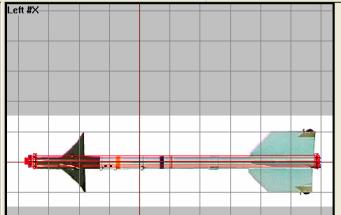
-
Now for the small wings we make simple doublesided faces. We have two wing types, front and rear. Trace the shape of the wing, select all 4 vertices and hit F6 twice.
Same goes for the rear wing. Again trace, select all 4 and doublehit F6. You now have the basic cylindershape and a sample of both wing types like this:
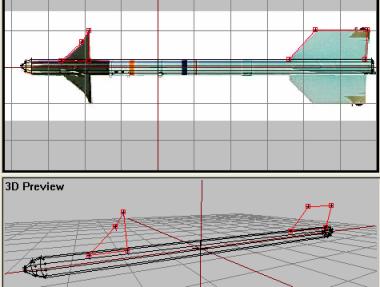
Now select all structures and apply the texture to them. Check the result out in bulldozer. If you are happy with it (move some vertices and retexture if you arent) , create the remaining 6 wings by copying and rotating the two first onces. In the end it should look like this:
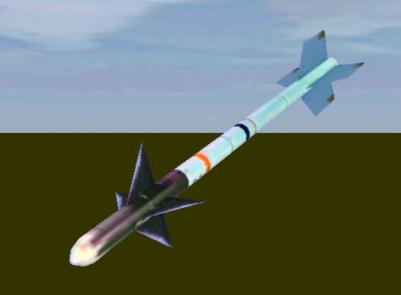
Maybe not the most perfect paintjob ever, but it looks nice for a tutorial-quality model, eh?
Ok, rockets only need two lods, "0.00" lod (the one we have made) and Geometry LOD. We do it very simple for Geo LOD:
- Make a new lod and change it to Geometry.
- In Front view, make a new cylinder structure (F8)
- Resize and move the cylinder so that it looks like below, covering most of the original rocket (except the wings).
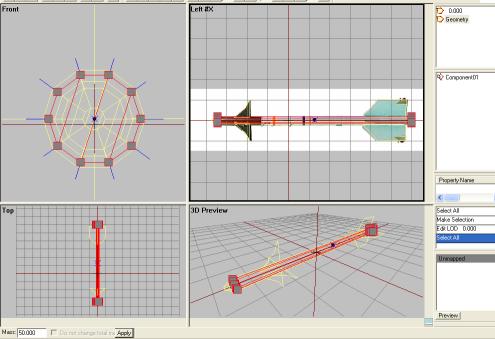
- Name the cylinder "Component01", select all (Ctrl+A) and add, say 15-20 to wheight (total mass)
Finally, lets scale the rocket to a bit more real dimensions. If your model is very similar to mine, you have a like 10 meter rocket on your hands here ;); so abit big for an airplane then. Lets scale it down to about 1 meter, shall we? Scale down the whole model Points->Transform 3d->Scale. I used 0.1 in all fields and ticked off the Apply to all Lods-field so that Geometry LOD would be scaled too. NOw my rocket is about a meetre, which is a decent size for our tutorial.
Ok, the rocket model is now done. Save it as "Sidewinder.p3d" in the armedplane directory. Now lets get it onto our airplane!
Back__Home__Next