Ok, we are not creating a new LOD this time because we need to make some changes to the original LOD, "0.000", to make it look good while flying. We have to make some named selections and even apply a texture or two (!), but nothing too scarry. Soon done now, promise.
As usual, a list of all the named selections we will make. There are of course more, but we only need these for our tutorial model:
- vejskovka: Horizontal stabilizator
- mala vrtule: Entire Tail rotor
- mala vrtule blur : Tail rotor face with blur texture
- mala vrtule staticka: Tail rotor, static version.
- mala vrtule textura: Tail rotor, only blur texture
- velka vrtule: Entire Main rotor
- velka vrtule blur : Main rotor face with blur texture
- velka vrtule staticka: Main rotor, static version.
- velka vrtule textura: Main rotor, only blur texture
In addition to that we will have two proxys, one for the pilot and one for the passenger.
Lets get going, shall we?
- Go to "0.000" LOD and use F2 to select the horizontal stabilizator on the tail. Name it "vejskovka".
- Now the proxys; there were two proxy models from the demo in the zip you got from the beginning of the lesson. Like in lesson 2, put them in the data3d folder in Bulldozer. If you dont know what proxys is, see lesson 2.
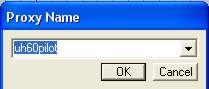
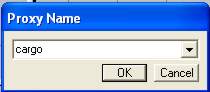
- Just as in lesson 2, choose insert proxys from the menu. We will insert one for the "pilot" and one for "cargo" (passenger), move them into place and use Bulldozer to see if the proxys are well placed in the model. The one for the Pilot is called "uh60pilot" and the other is called "cargo". Use these names in the "Insert Proxy Dialog". Here are some shots from the prosess:
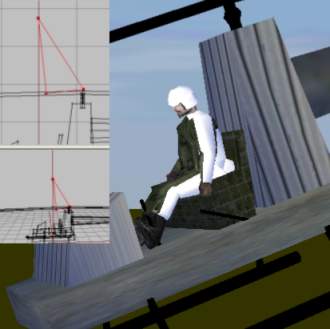
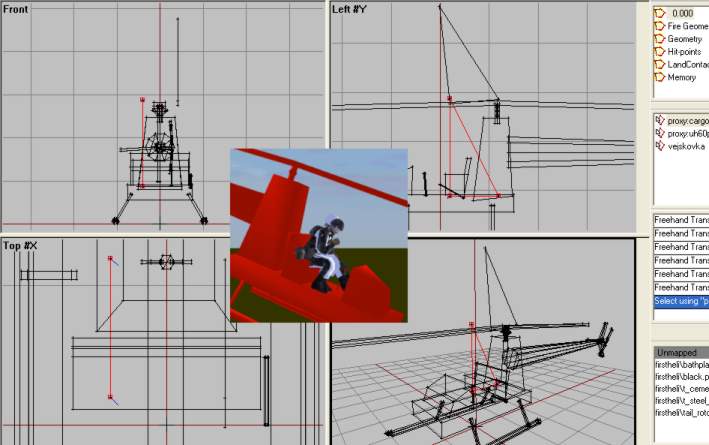
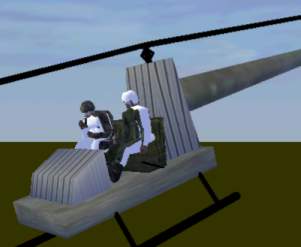
The final result. Dont worry if they dont look to good, my model dont fit these proxys perfectly (I had to rotate the pilot abit forward just to get his feet on the floor and the cargo proxy sits a bit inside the seat). But looks isnt too relevant for this tutorial model.
Great, proxys are done. Nice. Now for the rest of the named selections from the list above. But first we need to do some texturing Im affraid. If you have looked on the textures in the zip, you`ll see that when the rotors are spinning at top speed, the rotormodel is replaced with a blured texture rotating at slow speed to make it look like its the rotor spinning at high rpm. Yes, its all a fraud, Im affraid. But it will do. Lets do this:
- Go to top view, click create->plane. Set both X and Y size to 10 and hit OK. Just after hitting OK, hit F6 to make a "double faced face" of the new plane. Now deselect the plane and the reselect it (you must do this, because after hitting F6 only one side of the plane is selected). Now you have a double sided plane that we can texture.
- Hit A and load the texture named "rotorblur.paa". Draw it around the plane and apply it with "B". Then move the plane so that it lies in the rotation path of the rotor blades, like this.
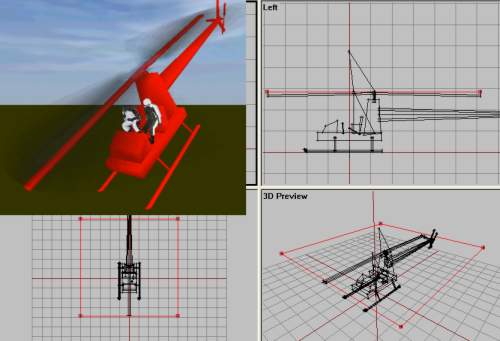
- Now we will use a copy of the same textures plane for the tail rotor. So select the main rotor with F2 and hit Ctrl+C to copy. Paste the new copy, scale and rotate it so that it looks like this:
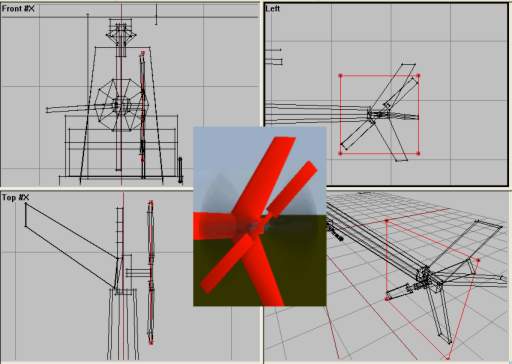
Now listen very carefully and follow my next instructions to the point:
- Using F2, Ctrl and LMB, select the main rotor textured plane, the main rotor blades, the main rotorshaft and its two arms. Name that selection "velka vrtule".
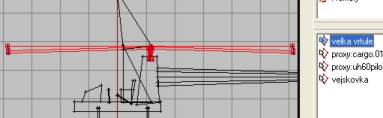
- Now select only the main rotor textured plane and name it "velka vrtule blur".
- Select only the main rotor blades and call it "velka vrtule staticka".
- Now select only the main rotor textured plane (again, I know) and name it "velka vrtule textura" (not sure if this is mandatory, but do it anyway to be on the safe side).
- Now for the tail rotor (any its the same think only with "mala" instead of "velka", but here it goes anyway).
- Select the tail rotor textured plane, tail rotor blades, middle section and the tail rotor shaft. Name it "mala vrtule"
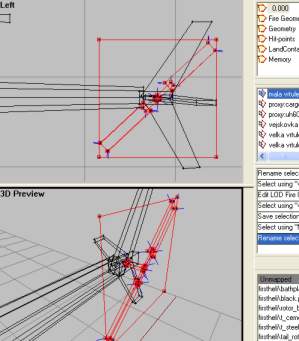
- Select only the textured tail plane and name it "mala vrtule blur"
- Select the two tailrotorblades and the middle section and call those 3 structures "mala vrtule staticka".
- Select only the textured tail plane (again) and call it "mala vrtule textura"
And we are about 90% done with our heli right now! I promise.
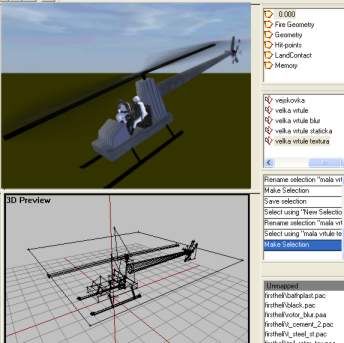
Our "0.000" LOD is all done.
Back__Home__Next