And here we are back with another episode of a "Chopper is born" here on Discovery, Im Mark Eavens and today we`re....ehh..oh, never mind. Watch the show, people!
Ok, ready for the "Big One"? This is the most important LOD (I think). Its got lots of different named vertrices. If you followed all the lessons you know that here is where we place stuff like in and out positions for the player, axis-definitions (like for the steeringwheel in lesson 2) and alot of other things. But we are soon ready to take off so dont give up now.
Here is a list of all the named selections we need:
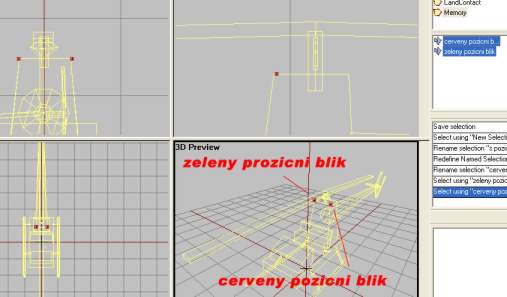
- cerveny pozicni blik: Red positional blinker
- zeleny pozicni blik: Green positional blinker
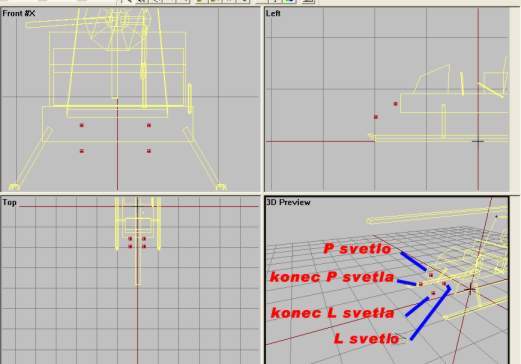
- l svetlo: Left light
- p svetlo: Right light
- konec l svetla: Left light end
- konec p svetla: Right light end
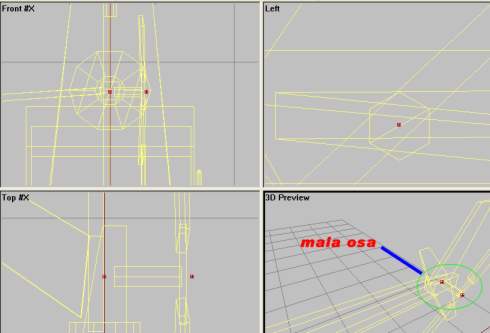
- mala osa: Tail rotor axis
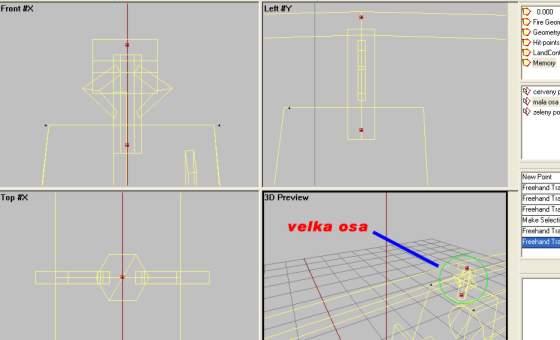
- velka osa: Main rotor axis
- osa vejskovky: Axis of elevator (horizontal stabilizer)
- zamerny: Aiming point/line of sight
- pos driver: Pilot in/out position
- pos cargo: Passenger in/out position
So lets get to work.
- Create a new lod and change it to Memory LOD. We will start on the top of the list above.
- Place two vertices on each side of the heli and make them "cerveny pozicni blik" and "zeleny pozicni blik", like the picture below.
- Place four vertices in the front position to indicate light position (two lights, start and end). Like this:
- Next is the Tail rotor axis, "mala osa". Place two vertices a distance from each other like in picture below. Make sure its in the center of the tailrotoraxis in the original model LOD ("0.000") and that the axis the lines create are parallell to the ground. Select both vertrices and name them "mala osa".
-
Same for the main rotor axis, "velka osa". Two vertrices placed directly on top of each other in sideview and in the center of the actual helicopter model`s rotorshaft. Like this:
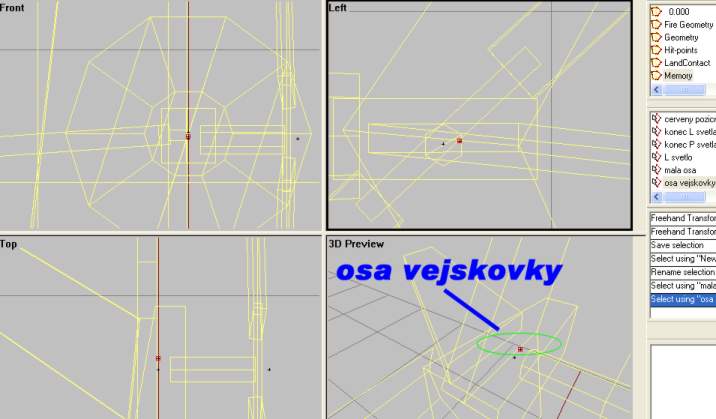
- Axis for the horizontal stabilizator, named "osa vejskovky", is just a single vertex placed like in this, in the center of the model in the tail section. Insert it from sideview to make it appear in the center when viewed from frontview.
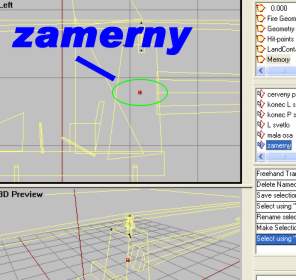
- And for the line of sight, just put a single vertex inside the engineblock and name ot "zamerny". Insert it from sideview to make it appear in the center when viewed from frontview.
-
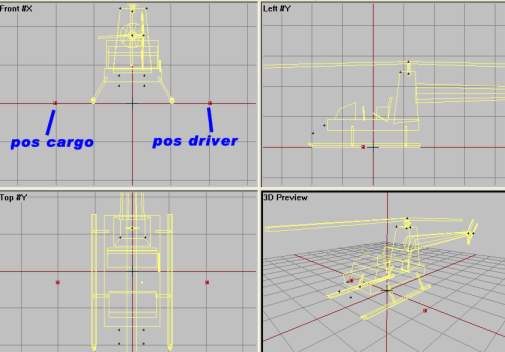
And finally two vertrices that should sound familiar to you from lesson 2, the entering position for the "pos driver" and "pos cargo". Just like in lesson 2, here it is:
...And there we are done with Memory LOD. Move on
Back__Home__Next