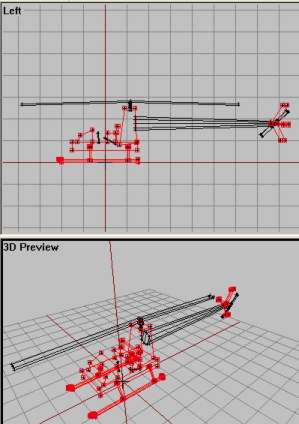
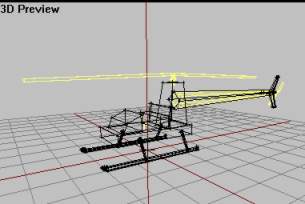
So without Fire Geo, bullets could just pass trough the addon without hitting the model? Well, not true. Because if ofp cant find Fire Geometry, is automatically used normal Geometry instead. Great, isnt it? So we dont need Fire geo then? Yes, we need it. Notice that the structures (or components, if you like) in our model is very blocky and dont fit good to their actual LOD parts in "0.000"; aka the main body structure with bottom plate, seats, front panel, etc is just a big block in the geo lod. That means that you can shoot a bullet close to, but not directly on, the airframe ingame and still hit the helicopter. And thats a bit unreal, isnt it?
But why not make the geo lod more detailed, then? The fact is that more detail in the geo department means more load on the CPU. Remember that collision detection is something done all the time ingame, while checking for firehits are done only when something is fired! That way we can have a low-detailed model for the Geometry lod and a higher detail model for the Fire Geometry. The bottom line is that Geometry detail is more expensive than Fire Geometry.
If you dont understod all the above, then dont care much about it. Its not that important to understand, right now you just do what I say and all will be well:). The content in the Fire Geo lod will be similar to the Geometry LOD but with more detail. To avoid creating to much (and since our main model is so simple anyway), we will use some parts from the main model and some from our Geo lod (sort of meeting eachouther on the half-way, if you like).
Now we need something to represent the two rotors. The ones in main LOD cant be used (tell you later..) and the ones in Geo is to much square-ish. They cover more that the places do for real. So we must make two flat cylinderstructues and we will start with the main rotor.
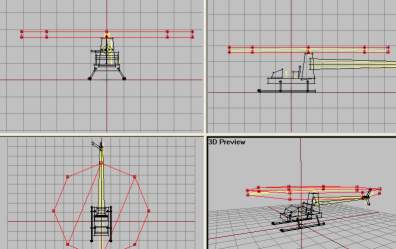
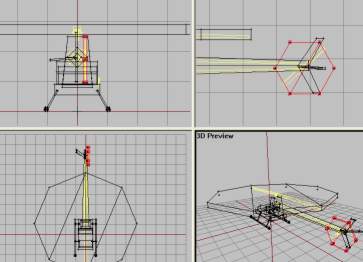
Now basic Fire Geometry is almost done. We now have defined the areas that the ofp engine will use to check if our model is hit or not. But we need to do some fixes first. First of all, structures in Fire Geo cant have textures (why would they, its invisible!). And the parts you copied from "0.000" LOD have textures on them that we must remove. Remeber from lesson 1 we learned how to make sure that o2 got the right texture paths for our model? We used ctrl+LMB (doubleclick) the listed textures to autoselect all structures that had that texture, activated a view and hit "E"? if not, see last part of texturing in lesson 1 now.
You must do like in lesson 1 but instead of making sure that the path in the lower editbox is right, we delete it and hit apply, then OK. This will remove the texture from the selected structures. Do this prosess for all the listed textures in the Fire Geo untill all textures are gone. Also, when we copied the tail boom part from Geo LOD to the Fire Geo, we got its named selection with us. In Fire Geo, Select the named selection (called component04 I think) and delete it (RMB and delete).
Like in Geometry LOD, all structures had a named selection for them, called Component01, 02 etc. We must have this in Fire Geo too. But instead of making them manually, we can make o2 do this automatically for us (why I wanted you to delete the Component04 for the tailboom to avoid o2 getting comfused). So, while in the Fire Geo LOD and no components selected, find "Structure->Topology->Find Components" from the menu. All parts will now be assigned a "ComponentXX"-selection (should be 15 in total).
Now we are done with the Fire Geo LOD. It should look like this now:
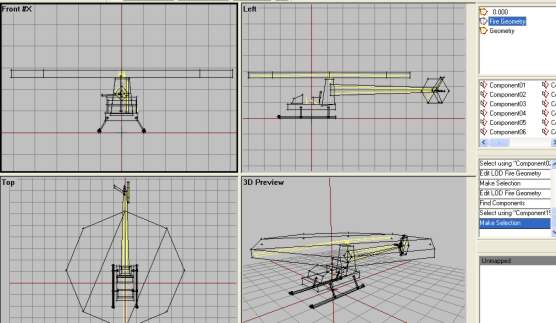
O2 view of the Fire Geo LOD.
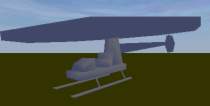
Bulldozer view. Make sure all textures are gone.