MAPFACT.net KEY CONTROL v. 1.0
OVERVIEW
This addon is based on an idea by Silola. He showed me how to use fwatch and so I came up with the idea to replace numerous action menue entries by simply pushing keys on the keyboard.
The KeyControl addon is a complement both for the Mapfact Diver addon and the Mapfact Infantry WeaponPack. It requires fwatch by Kegetys to work.
Simply copy and paste the MAP_KeyControl.pbo into your desired addon directory.
When unsing the WeaponPack KeyControl is included already so please make
sure not to load it twice.
Make sure you have installed fwatch properly and make sure as well to launch OFP via the fwatch.exe. Please refer to the fwatch readme file.
KeyControl will check wether or not fwatch is running and it will tell you when fwatch is not found.
All addons that are using KeyControl will detect it automatically. You don't have to do anything else about it.
We included a small sidechat, if you want to check when and if the KeyControl is initialised. You can turn that on by typing the following line into your mission's init.sqs file:
MAP_initChat=true
To use the KeyControl you will only need "OperationFlashpoint/Resistance", version 1.96
and fwatch by Kegetys.
The KeyControl addon is required for the Mapfact Infantry WeaponPack and it enhances the
Mapfact diver addon.
With the Mapfact Infantry WeaponPack:
- fix and remove silencers (default key "F")
- order your squad mates to fix and remove silencers (default key "O")
- call a weaponinfo dialogue (default key "U")
- switch to close combat (default key "X")
- choose your own key settings
With the Mapfact Diver addon:
- animated divemask (default key "C")
- show and hide diving equipment (default key "H")
- switch to close combat (default key "X")
Choosing your own key settings:
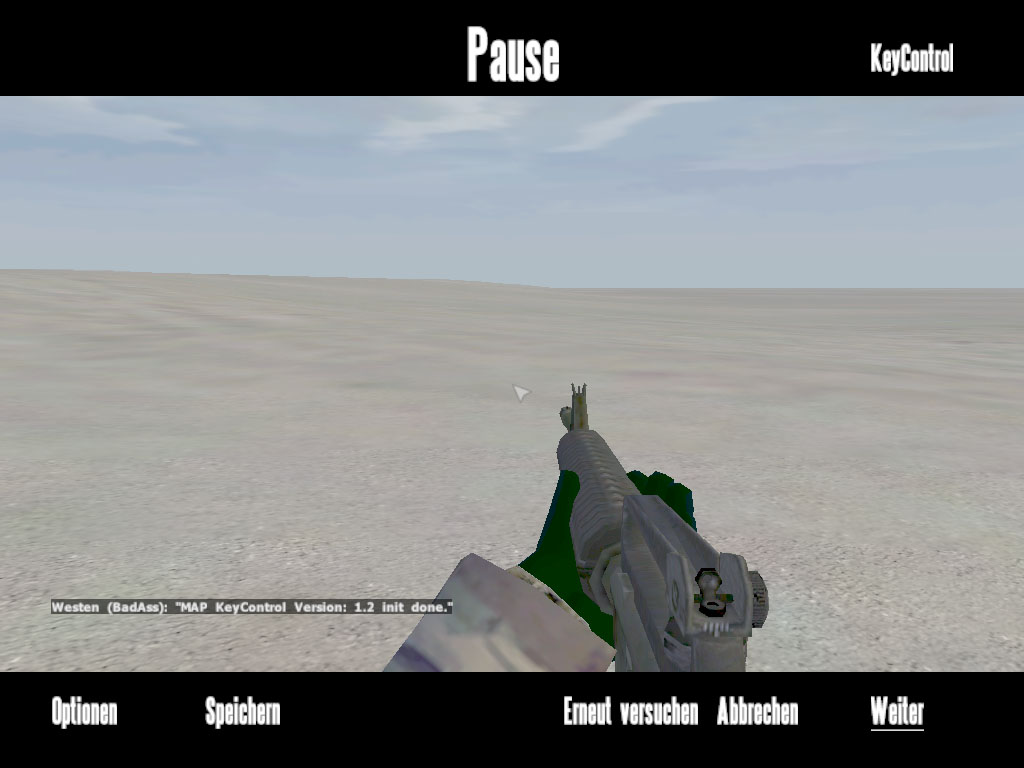
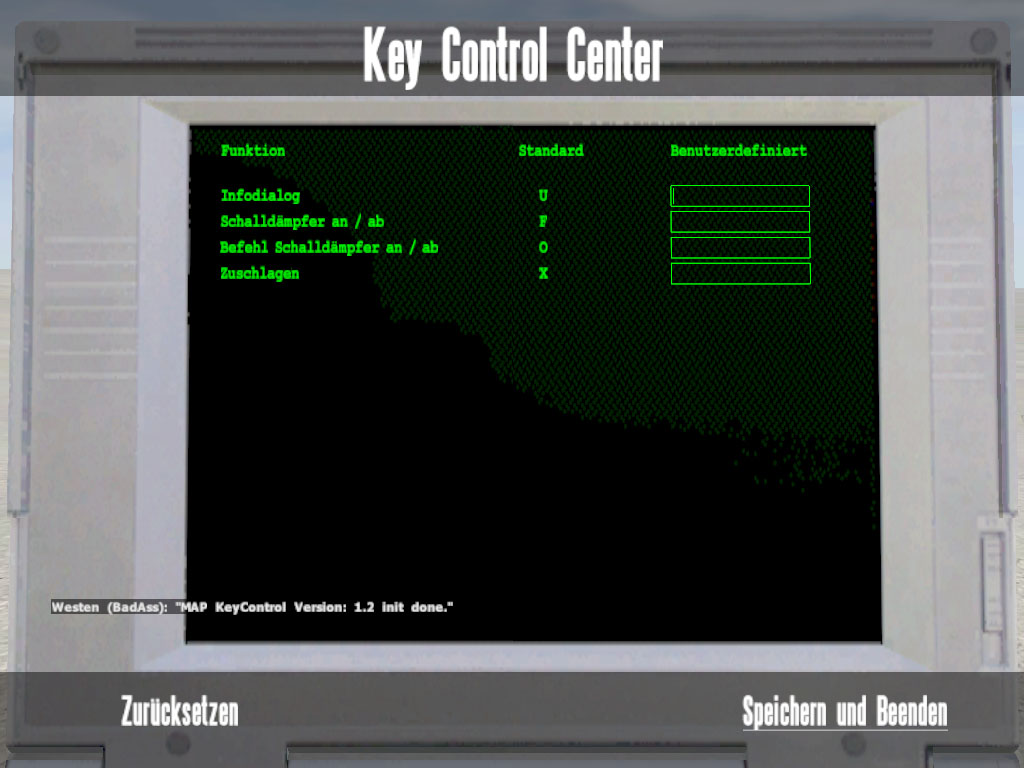
During playing hit ESC. In the top right corner you'll find the button KeyControl. Hitting it opens up the KeyControl dialog. The left hand side list "Function" shows you the actions that are available. The list in the middle "Standard" is showing the current key settings. To set new keys please enter the desired key in to the respective field on the right hand side "User defined".
By hitting the Reset button on the bottom left you restore the default settings. By hitting "Save and exit" you save your current settings end exit the dialogue.
Please note:
fwatch doesn't detect all special charakters so best use only letters for your settings.
When entering more than one key only the first one is choosen. The entry is not case sensitive, KeyControl will process the required setting automatically.
Additional features:
- KeyControl detects fwatch automatically
- KeyControl tells you if fwatch is not found
- KeyControl is detected by the respective addons automatically
- KeyControl will tell you when it's ready
This addon has been made by BadAss of
www.Mapfact.net. This addon is an
inofficial addon for the game 'Operation Flashpoint: Resistance' by Bohemia Interactive
Studios. It is not allowed to neither use nor distribute this addon commercially.
Using the MAP KeyControl in missions is expressly desired, and of course no further permission is required!
Changing this addon is allowed as long as credits are given to www.Mapfact.net. It is not allowed to distribute changed versions of this addon under the name MAP_KeyControl.
You use this inofficial addon at your own risk.
Neither the creators nor the distributors of this inofficial addon are responsible for possible hardware or software damages.
If you've got any problems, questions, suggestions, ideas please don't hesitate to contact me.
Contact:
www.Mapfact.net
www.Mapfact.net/forum
mail to BadAss
-Kegetys: fwatch
-Silola: KeyControl idea and showing me how to use fwatch
-BadAss: dialogues, scripts, functions
-Raedor: Script bugfixing (Without his work you all wouldn't have the addon now;-)
The ever faithful testing crew
-Bolek
-Bond
-Chneemann
-Lockheed Martin$ch
-Marco-Polo-IV
-MCPXXL
-MemphisBelle
-Mr-Murray
-simba
-Sniping-Jack
Hamburg, 06/20/2006, BadAss.