Now its time for the roof. We`re not gonna make a full 2nd floor, but its not hard. Its basically just copying the thing we have made so far and place it on top of this one, but we`ll stick to a simple open floor, watchtower-style, just to keep things simple. To gain entry to the roof, we`ll make a ladder too!
- In an new LOD, in top view, make a plane structure with settings SizeX=9 and SizeY=9. In left view using shift+E, change the pixel row Y-value to 4.
- In top view again, make a new plane, this time smaller and in the position indicated by the next picture. Also change its height to 4. This plane will be the hole in which the ladder will go.
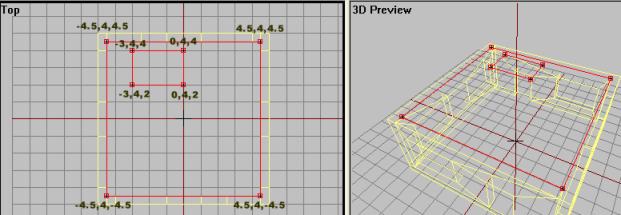
- Now as we did with the walls, make a proper 3d structure of this with a thickness of, say, 0.25m. I assume you know how to do this by now.
- Name this structure "roof" and apply the "roof" texture to the structure.
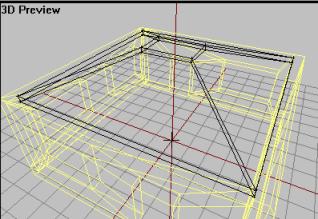
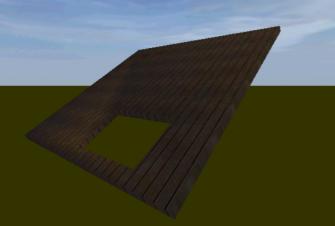
Ok, now for the fence. We cant have our soldiers falling off the roof to easy, can we?
- In the same LOD, make 4 box structures, two of length 10m and two of lenght 9.8, leaving the wall thickness for all of them to 0.20 meters and a height in leftview of 1 meter. Select all 4 fence structures and name them "fence".
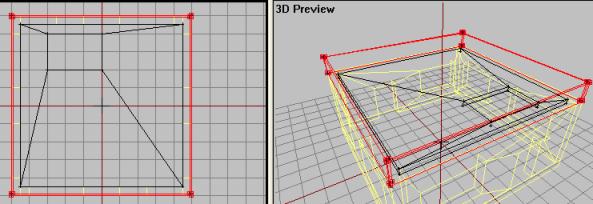
- Texture the fence using the "fence" texture. Make sure the texture lines up nicely and you get a good fence-look on it.
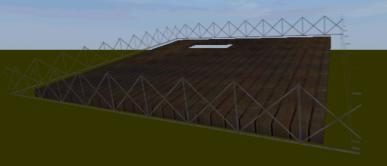
Nice! Now the ladder and the roof is done.
- Make a new LOD and in left view make two 4m high poles as in picture (dont have to be that accurate). Texture both poles using a woodish texture. I chose the "wood2" texture.
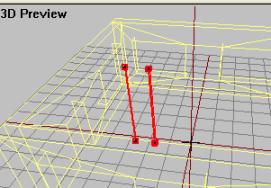
- Now make a single horizontal block and form it as a step on the ladder. Texture it using one of the woodish textures in the folder. I chose the "roof" texture.
- When one step is made and textured, copy it and place them out foring the missing steps on the ladder.
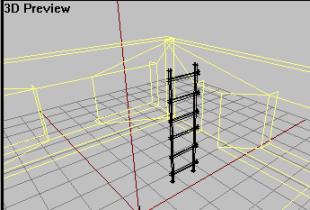
- Name the final ladder structure "ladder".
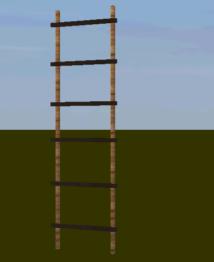
Lets positon the ladder right:
- Select the ladder structure and move (you might have to rotate too) it into position
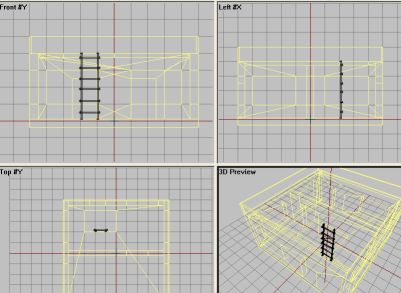
Move the ladder into position like in the picture above.
Ok, thats the basic structure of the building. Now we gotta combine all the parts into the first "0.00" lod, because its time to make the other lods (Geometry, Roadway, etc. More on that in a moment). So, first make a backup of the file we got now (if you mess up a part or looses track, you can access the backup and pick the parts you need with no problem).
- Make a backup of the current file
- Now start copying all the parts you have made onto the 0.00 LOD (not the basic walls, you copied them for reference earlier in the tutorial, remember?), and the end result should look something like this:
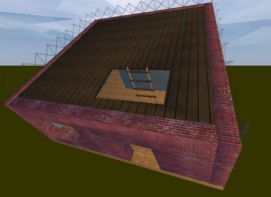
All the parts gathered in the "0.00" lod
- After all parts are copied to the 0.00 lod, delete all the other LODs
Ok, lets do some proper LODs now, Geometry first. Move on.
Back__Home__Next