Time for the front and rear walls, which will have one window and a door each. First we only do the basic wall with holes in it. As creating these walls are similar to the previouse onces, except for size and this has a doorways instead of a second window, I will make this section shorter.
- In your new lod, create a plane in front view, making it 9 in sizeX and 4 in sizeY. Align the lower two vertices with the floor (0.1 m remember?) and the top two should have a Yvalue of 4. Give all 4 vertrices a Zvalue of -5.
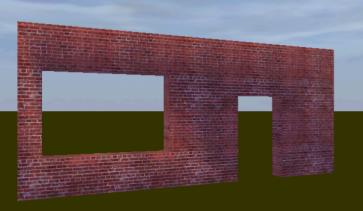
- In similar fashion as the last one, add two more smaller planes and align them as in this picture:
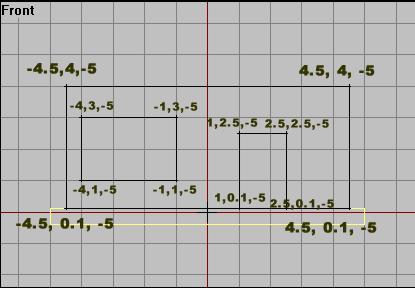
- Now select all, delete the faces ("D") and make it so it looks like a wall, just like before. Be dead certian that all faces are the right way.
- As we have a wall thickness of 0.5 from the last walls, we will have this here too. So select the structure, dragcopy it, reverse the faces and make all vertrices aligned using -4.5 as the Zvalue.
- Fill in the holes with faces so you have a solid structure. Note that there are should be no face at the bottom of the door frame!
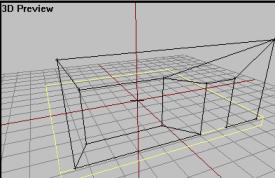
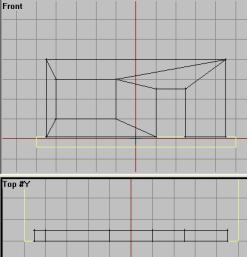
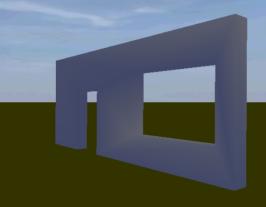
Now that we have a wall structure, we must texture it. We use the same textures as before, with the same tile dimensions (2x2. for the "wall" and 1/4 or less for the wallpaper texture). The result is something like this:
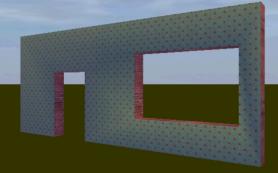
Now make a copy of it, rotate it in place on the other side, making sure all vertrices are on the right place. Then select both of them and name then "front&rear_walls". Make a new LOD and move on to the next part.
Back__Home__Next