Now we must put some cool textures over our basic gray color. All textures are in the zipfile you downloaded at the start and should now rest in your stalker-folder. Lets go:
- In front view,select all (Ctrl+A) so that everything is red. Hit A, RMB and choose load texture. Load the one called "stalker_tex.paa". Also, RMB and choose "Horizontal Flip" to make it face the right way.
- Now, comes the hard part of scaling the texture so that it fits our model pretty accurate. Use Ctrl+Shift+Up/Down/Left/Right keys to scale it. Remember to RMB and choose "Correct Aspect" from time to time so that the texture doesnt get deformed. I know its hard, and it would have been easier if we had cut the texture in pieces, but try anyway. And remember this is a tutorial so there is no need to get it absolute right. I eventually was satisfied with this:
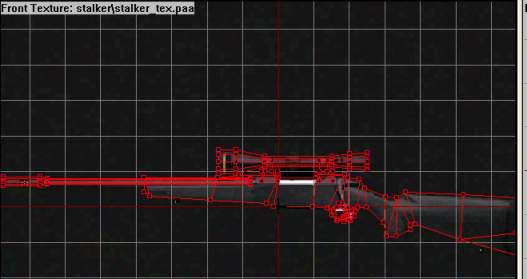
- When you`re happy, with everything selected hit "B"-key and the texture should be applied to your gun model. Check it out in Bulldozer. Not bad, eh?:
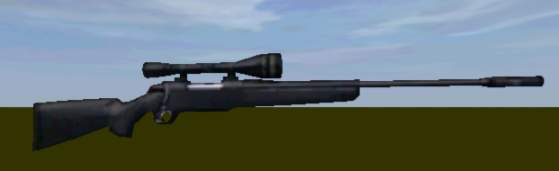
So, its not going to win a beautycontest, but it doenst look too bad for a tutorial model. At least not that bad, anyway. I think it looks pretty cool. One thing though, it could need a better front and rear for the scope, some glass-looking texture. There is one in your stalker-folder so lets apply it now:
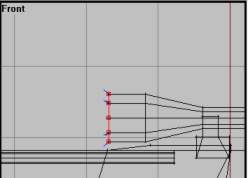
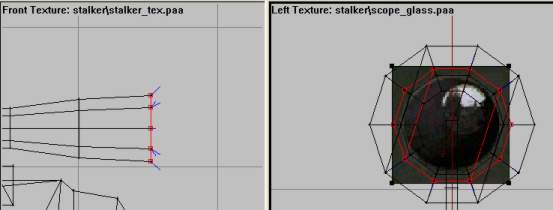
- In front view, RMB click and choose "unload texture" to remove the texture. We`re done with that one. Now, zoom in on the scope front, hit F4 and select the scope front colum like this:
- Activate left view without loosing selection (Alt+RMB), hit A key, RMB and load the texture named "scope_glass.paa"
- Draw the texture box around the scope face. Use Correct Aspect to ensure right image dimensions.
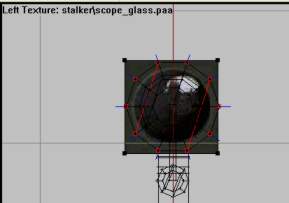
- When you`re happy with your texture placement, hit B to apply it to the scope. Check it out in Bulldozer and try again if you messed it up. This is my result:
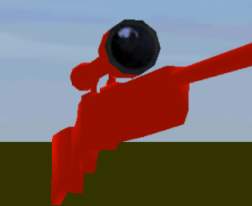
Now do the same thing to the other end of the scope. Just follow the same steps as above. Select the rear scope vertrice colum using F4 in the front view, go to left view and scale the glass texture so it fits the smaller scope end nicely. Then applying it with B and check out in Bulldozer.
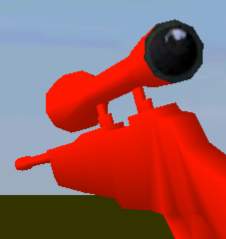
Here is my result.
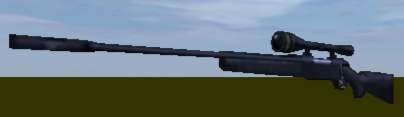
And that way texturing, my friend. Now the hard modelling is over, just some simple LOD stuff and the making of a basic config-file for weapons left. Go go go!
Back__Home__Next