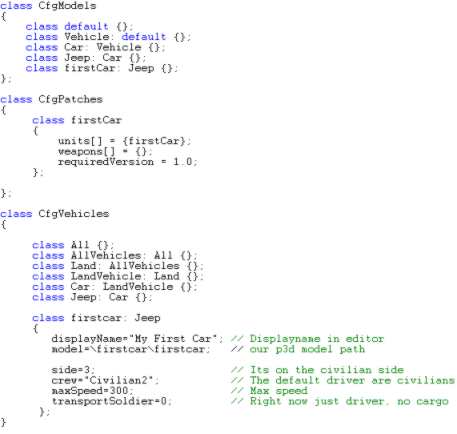
The important part of the config-file, the "Firstcar" class.
Now if you have tested it you might have noticed that its pretty crappy right now. The steering wheels wont turn, you dont see the driver, impossible to see anything in first person view, the thing seem to jump/stutter on the ground and, hell, even the wheels don`t turn. This is what we are going to fix during this tutorial.
Now you might wonder how our model suddenly became a real functional OFP car just like that. And if you look closer on the model you`ll see that its not that much seperating your car model from that silly crate-model we made in tutorial 1. So how did this happen? The answer lies in the config-file:
The important part of the config-file, the "Firstcar" class.
Now tricks or magic. Its just that our car has a different config-file than our crate. And a much bigger and confusing one. Many features and settings that no doubt will make the newbie feel a little down. But fear not, its not that hard. Lets have a look at the important settings:
There are some other features that we`ll look at when the time is right, but these are the important ones right now. If you are somewhat experienced in object-oriented programming you`ll see that while our crate was classified as a static object, our car is classified as a LandVehicle of some sort, and then I have "stolen" the Jeep class. Then I just have to set a few important attibutes and get the rest for free. Inheritance at work! Im not going to give you a lesson in config-file making, so I wont go into any detail about why and how each setting work. Find a config-file tutorial at OFP Editing Center if you really want one.
What I can say it that I`ve stolen most of the standard West OFP Jeep attributes. Right now the physics model (braking distance, damperforce, turnradius, etc) are exactly the same as the West->Car->Jeep in OFP editor. Get the "Commended Config" files from Bohemia Interactive Studio: Breathe if you really must know all the details about the jeep. Other just ingnore this info for now.